
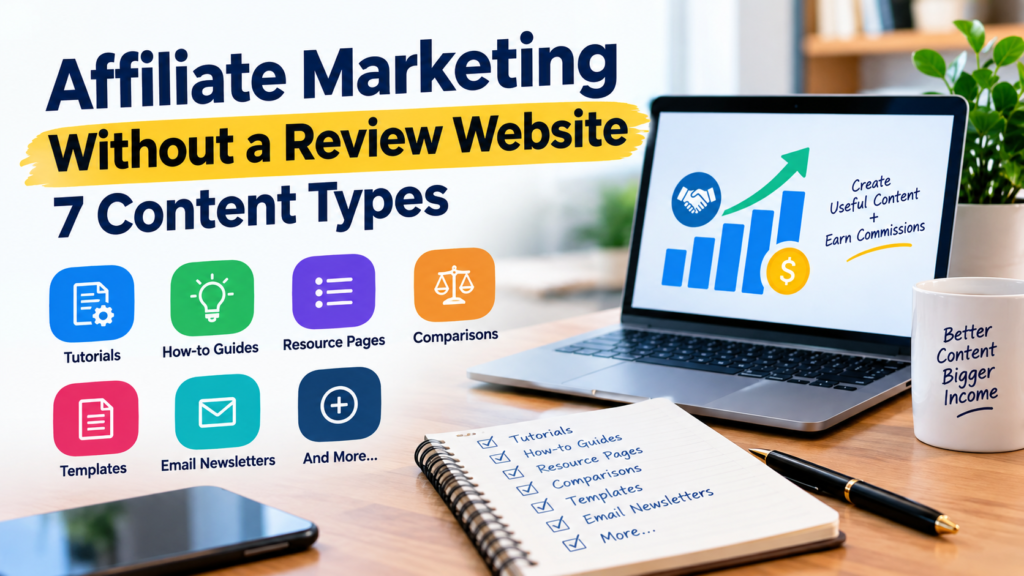
Affiliate Marketing Without a Review Website: 7 Content Types
Most people picture affiliate marketing as a blog full of “Best Laptops for Students” and “Product A vs. Product B” posts. Those sites can work, but reviews are only one way to earn commissions.
Tutorials, how-to guides, resource pages, comparison articles, templates, and several other formats can all carry affiliate recommendations. What matters is picking a format that suits your audience and the products you want to promote. A budgeting site could recommend a budgeting app inside a guide to organizing monthly expenses and never write a standalone review of that app.
This guide covers seven content types, how to build each one, and how to connect them to relevant affiliate offers.
Can you do affiliate marketing without a review site?
Yes. Amazon Associates, for example, lets approved participants use affiliate links on their websites and in certain social media content, as long as they follow the program’s terms.
The distinction that matters is between the business model and the content format. Affiliate marketing is the model: you send people to a merchant and may earn a commission when they complete a qualifying action, like a purchase or signup. A review is just one way to send them.
Picture a site that teaches beginners to manage money. Instead of ten reviews of financial tools, the owner could publish a monthly budgeting tutorial that mentions one budgeting app, a savings challenge with a downloadable tracker, a guide to tracking household expenses in a spreadsheet, a page of recommended tools, and a weekly email with one money lesson each time. Some of these attract readers who are still learning. Others help people who are choosing between tools.
An affiliate link doesn’t make content useful, though. Readers need a real reason to click, and the recommendation has to fit the problem the page is solving.
1. Tutorial-based content


Tutorials are one of the most practical alternatives to reviews because they’re built around finishing a task. You don’t argue about whether a tool is good. You show someone how to get a specific result with it.
A business site might publish “How to create your first email campaign,” “How to set up a simple online store,” “How to track business expenses in a spreadsheet,” or “How to build a content calendar for Pinterest.” The email campaign tutorial can recommend an email service, and the online store tutorial can mention hosting, payment processing, or ecommerce software where they apply.
Start with the problem, not a product name. Say what the reader needs, then walk through the process in order. A solid tutorial usually includes:
- The result the reader will end up with
- The tools or materials they need
- Step-by-step instructions
- Common problems and how to fix them
- A short note on optional tools that make the job easier
Use your own screenshots, examples, or demos wherever you can. If you haven’t used a product yourself, don’t imply that you have.
Best for: software, hosting, website builders, productivity tools, online business services, and educational products.
Limitation: tutorials go stale. When a service redesigns its interface or drops a feature, your instructions need updating.
2. How-to guides and problem-solving articles
A how-to guide overlaps with a tutorial but covers a wider problem and doesn’t force readers through one fixed sequence. A tutorial might show how to build a budget in a spreadsheet. A guide might explain how to budget on irregular income, set money aside for upcoming bills, and pick the budgeting method that suits your situation.
This format works well when people are searching for an answer, not a product. Examples:
- How to start saving on a low income?
- How to manage several business projects without losing track?
- How to cut down on repetitive business tasks?
- How to plan a monthly budget when your income changes?
- How to start an online business on a small budget?
Where affiliate products fit
Look for the point where a reader is likely to need extra help. Someone juggling client projects might want a project management app. Someone organizing household bills might do fine with a free spreadsheet template, while their neighbor prefers dedicated budgeting software.
Lay out the options and the trade-offs. If a free method solves the problem just as well, say so. Don’t present a paid tool as essential when it isn’t.
A short “Tools that can help” section with two or three options works well. For each one, say what it does, who it suits, and when it isn’t worth paying for. That keeps the article about the reader’s problem and stops it from turning into a sales page with a few paragraphs on top.
Best for: beginner education, personal finance, marketing, productivity, and small business topics.
Limitation: broad guides attract readers who aren’t ready to buy. Their value is in building an audience and introducing useful resources over time.
3. Resource pages and curated tool lists

A resource page gathers tools, services, templates, or learning materials in one place. Unlike a review site, it doesn’t need a full review of every item.
An affiliate marketing site might build a resource page covering website creation and hosting, keyword research, email marketing, graphic design, content scheduling, and analytics. A personal finance site could organize its page around budgeting, savings tracking, expense management, and financial education.
How to make it genuinely useful
Don’t just publish a long list of affiliate links. Readers need help deciding which resources deserve their time. For each item, cover:
- Purpose: what the tool helps someone do
- Ideal user: who is most likely to benefit
- Cost: whether there’s a free plan, a trial, or a subscription. Check current terms before you publish.
- Main limitation: what a reader should know before choosing it
- Next step: where to learn more or sign up
Organize the page around tasks, not a random list of products. “Tools for beginners” and “Tools for growing businesses” will help more people than one list of twenty unrelated services.
The page also needs upkeep. Check that links work, products still exist, and descriptions match current features. Remove anything that’s been discontinued.
Best for: sites with a defined subject that want one central page for recommended resources.
Limitation: a resource page with thin explanations offers little value and will struggle to attract visitors by itself. Support it with tutorials and guides that answer specific questions.
4. Comparison guides and decision frameworks
A comparison guide helps readers choose between approaches, categories, or tools. It doesn’t have to be a head-to-head product review. You can compare methods, pricing models, workflows, or types of service:
- Free email marketing tools vs. paid platforms
- Spreadsheet budgeting vs. budgeting apps
- Shared hosting vs. managed WordPress hosting
- DIY website design vs. hiring a professional
- Free graphic design software vs. premium tools
These work best when readers already understand their problem and don’t know how to solve it.
Build the comparison around decision criteria
Start with the factors your audience cares about. For budgeting tools, that might be cost, ease of use, bank syncing, privacy, and reporting. Then explain the trade-offs. A free spreadsheet is flexible and has no subscription, but you have to update it by hand. An app automates some of the work, but it may cost money every month and include features you’ll never touch.
Avoid naming a universal winner when the right choice depends on the reader’s situation.
If you compare specific products, confirm the features, prices, limitations, and terms from reliable sources. Keep facts separate from your own opinion, and never claim you tested something you haven’t used.
Affiliate links can sit next to the options you discuss, as long as the recommendation is relevant and you disclose the relationship properly.
Best for: readers who are narrowing down options and are close to buying.
Limitation: features and prices change fast, so comparisons need careful fact-checking and regular updates.
5. Templates, checklists, and downloadable resources
A good template attracts readers who want to do something, not read a long explanation. Common examples are monthly budget spreadsheets, savings trackers, business expense worksheets, content calendars, affiliate campaign planners, website launch checklists, and email planning templates.
You can offer the download free and pair it with an article on how to use it, with relevant affiliate recommendations in the instructions or in a separate resources section.
Say you publish a monthly budget planner. The accompanying guide could walk through entering income, sorting expenses into categories, calculating what’s left, and adjusting when spending runs over. You could then mention budgeting software for readers who’d rather automate the process. The recommendation answers a real need, so it doesn’t feel like a link dropped in for a click.
To build one:
- Pick a task your audience does repeatedly.
- Make a template that makes it easier.
- Add clear instructions and a worked example using made-up data.
- Test it for errors and usability.
- Write an article explaining when and how to use it.
- Mention paid tools only where they offer a real advantage.
Templates also show you what readers want. If people keep asking for a more advanced version, that’s a strong hint for your next guide or paid product.
Best for: personal finance, business planning, productivity, marketing, and education sites.
Limitation: templates take time to design, test, and maintain. If yours includes formulas, check the math before you hand it out.
6. Educational videos and social media content


You don’t need a blog full of product reviews to introduce people to affiliate products. Videos and social posts can reach an audience by teaching a skill, explaining an idea, or showing a process. Formats include YouTube tutorials, Pinterest pins, Instagram carousels, short explainer videos, and step-by-step visual guides.
For a site about online business, the content might look like this:
- Five steps to plan your first email campaign
- How to organize a content calendar for a small business
- Common mistakes beginners make when building a website
- A simple weekly routine for running an online business
- Free tools for making better marketing graphics
Every piece needs to give the viewer something useful. A video on scheduling social media posts, for instance, can mention a scheduling tool at the step where you’d actually use one.
How to connect social content with affiliate marketing
Pick a topic people already want to learn about, teach it clearly, and give viewers a sensible next step. Depending on the platform’s rules and the affiliate program’s terms, that might be a related article, your resource page, or an approved affiliate link.
Pinterest works well for visual content that leads to a longer guide on your site. You can make several pins for the same article if each takes a different angle, such as a beginner tutorial, a checklist, or a comparison.
Don’t post near-identical pins or clips just to push the same link over and over. Avoid misleading titles, heavy promotion, and links that break the platform’s policies.
Best for: creators who like visual explanations, demonstrations, and short educational content.
Limitation: social platforms control who sees your content, and they can change their rules without warning. A website and an email list that you own reduce your dependence on any one platform.
7. Email newsletters and educational email sequences
A newsletter lets you reach people who chose to hear from you. You aren’t relying on search rankings or a platform’s algorithm, because the information goes straight to subscribers.
It doesn’t have to be a stream of product promotions. Most of it can be practical lessons and useful resources, with the occasional recommendation. A newsletter for new affiliate marketers could run a four-week sequence:
- Week 1: choosing a focused niche
- Week 2: finding the problems your audience needs solved
- Week 3: planning helpful articles
- Week 4: picking relevant tools and understanding affiliate disclosures
A tool recommendation could fit in week 3 or 4. It shouldn’t show up in every email.
How to build an email sequence?
Start by offering something worth signing up for, like a checklist, a template, or a beginner’s guide. Tell people what they’ll get, and collect only the information you need.
Then write a short sequence that tackles your audience’s biggest problems. Give each email one job. An email about content calendars could explain the process and link to a free template. If a paid planning tool has extra features that matter, explain the difference and include an affiliate link where the program allows it.
Be upfront about the commercial relationship. Follow the email marketing laws that apply to you, including consent and unsubscribe rules, plus platform policies and affiliate program restrictions.
Best for: publishers who want an ongoing relationship with readers and plan to recommend products over time.
Limitation: lists grow slowly, and subscribers stop opening emails that get repetitive or pushy. Some affiliate programs also restrict affiliate links in email, so read the program’s rules first.
Which content type should you choose?
It depends on what your audience wants to get done and what you can keep producing.
| Content type | Main purpose | Example affiliate opportunity |
| Tutorials | Teach a task | Software used in the process |
| How-to guides | Solve a broader problem | Tools that help with implementation |
| Resource pages | Organize useful options | Relevant tools and services |
| Comparison guides | Help readers decide | Products or services being compared |
| Templates | Help readers take action | Optional tools that improve the workflow |
| Videos and social posts | Demonstrate or explain | Products relevant to the lesson |
| Email newsletters | Educate subscribers over time | Useful resources and services |
If you’re starting from zero, begin with tutorials, how-to guides, and a small resource page. They support each other. Tutorials show people how to do something, guides answer the questions that come up around it, and the resource page gives them somewhere to look at tools.
Add comparison guides once you know what readers ask before they buy. Add templates if they really make a task easier. You don’t need all seven formats on day one.
How to build an affiliate content strategy without reviews
Picking a format is only the start. You also need a way to decide what to publish and where affiliate links belong.
Step 1: Choose a specific audience and problem
Don’t start from a list of products you want to promote. Start from people and what they need.
“Online business” is too broad. “Helping beginners organize and market a small online business on a tight budget” gives you a direction. It also makes it easier to find relevant questions, choose fitting products, and plan related articles.
Step 2: Research the questions readers ask
Look at Google autocomplete, search results, customer questions, and community discussions, and use keyword research tools. Group related questions into topics. For a beginner affiliate marketing site, the groups might be:
- Getting started
- Choosing affiliate programs
- Creating useful content
- Building an audience
- Choosing marketing tools
- Understanding disclosures and program rules
Those groups become the backbone of your content plan. Don’t assume a keyword is low competition or high volume until you’ve checked real research data.
Step 3: Map products to genuine needs
Make a simple planning sheet with four columns:
| Reader’s problem | Content idea | Potential resource | Why it fits |
| Can’t plan articles | How to create a monthly content calendar | Planning tool | Helps organize publishing |
| Struggles to track spending | How to build a monthly budget | Budgeting app | May simplify tracking |
| Needs a basic website | How to launch a WordPress site | Hosting service | Supports site setup |
These are made-up examples, not claims that any product is the best option.
Add an affiliate offer only after you’ve checked that it’s relevant, trustworthy, available to your audience, and right for the task. Consider free alternatives and the reader’s budget.
Step 4: Create useful content before adding links
Write the article so it’s still helpful if every affiliate link disappears. Explain the process, give examples, answer common questions, and describe limitations. Then add links where a reader is likely to need a tool or more information.
Here’s a quick editorial test. If removing a link leaves a paragraph with no reason to exist, that recommendation probably doesn’t belong.
Step 5: Make affiliate disclosures clear
Readers should know when you might earn a commission from their purchase. The US Federal Trade Commission says material connections between endorsers and brands must be disclosed clearly and conspicuously. That means placing the disclosure where readers will notice it, next to the recommendation, not buried on a separate page.
A plain disclosure for a blog post could read:
This article contains affiliate links. If you purchase through these links, I may earn a commission at no additional cost to you.
Adjust the wording to match your actual relationship and the rules that apply. If you’re in Amazon Associates, you also have to follow its specific disclosure requirements, including its required Associate statement. If you have readers outside the US, check local requirements as well as the policies of your affiliate program and publishing platform.
Step 6: Measure results and improve your content
Don’t judge every article by affiliate revenue alone. Different formats do different jobs. Useful numbers to track:
- Search impressions and clicks
- Visits to related articles and resource pages
- Affiliate link clicks
- Qualified leads or purchases, where tracking exists
- Content updates and broken links
Say a tutorial gets steady traffic but few affiliate clicks. Ask whether the recommended tool solves the problem the article describes. The tool may be unnecessary, the link may be hard to find, or readers may want a free fix. If a resource page gets little traffic, it probably needs stronger supporting articles, not more products.
Let the data guide your edits, and don’t add links on autopilot.
Common mistakes to avoid
Promoting products unrelated to the article. A budgeting guide shouldn’t suddenly recommend web hosting unless there’s a clear connection.
Writing thin content around affiliate links. A list of products with one-line descriptions rarely answers the reader’s question. Add selection criteria, explanations, examples, and limitations.
Making unsupported product claims. Verify prices, features, eligibility, and performance. Never invent personal testing or customer stories.
Ignoring program restrictions. Affiliate networks set rules on link placement, email promotion, trademarks, and more. Read the terms before you publish.
Relying on one traffic source. Search rankings and social reach can shift overnight. Spread your effort across a few channels you can manage, and consider building an email list.
Treating every article as a sales page. Some readers need to understand the problem before they’ll consider a paid product. Helping them can be worth more than pushing a sale.
Never updating published content. Check time-sensitive details, fix broken links, and revise instructions when tools change. Update to improve accuracy, not just to change the date.
Frequently asked questions
Can I do affiliate marketing without writing product reviews?
Yes. Tutorials, educational articles, resource pages, comparisons, templates, newsletters, and social content all work. The best fit depends on your audience, your subject, and the program’s rules.
Do I need a website to start affiliate marketing?
Not always. Some programs accept qualifying social media accounts, video channels, or other approved platforms. Amazon Associates, for example, permits eligible websites and certain social media content under its terms. Acceptance isn’t automatic, and every program has its own requirements.
Can tutorials generate affiliate commissions?
They can. A tutorial may introduce a product that helps readers finish the task. Whether it earns anything depends on audience interest, how relevant the product is, whether people buy, tracking, and the program’s terms.
What’s the easiest content type for beginners?
A practical how-to article is a reasonable first choice. It answers one specific question and can include a relevant recommendation without a full review. A simple template or checklist pairs well with it. In the end, the easiest format is the one that suits your skills. If you’re comfortable on camera, demonstrations may come more easily than articles.
How many affiliate links should an article have?
There’s no magic number. Use enough to point readers to relevant resources, and don’t add links just to hit a count. Each one should have a clear purpose, and required disclosures should be easy to spot.
Can Pinterest help promote affiliate content?
Yes, within its current rules and your affiliate program’s requirements. You can make pins that lead to tutorials, checklists, and resource pages. Make sure the destination works, the content matches the pin, and any required disclosure is clear.
Do I need to buy every product before recommending it?
No, but be honest about what you know. You can describe verified features, explain published pricing, and compare documented capabilities without claiming personal experience. If you haven’t tested something, say so when it matters. Never invent hands-on results or testimonials.
Finally
If you’d rather teach, explain, and organize resources than write reviews, affiliate marketing still works for you. Tutorials, problem-solving guides, resource pages, comparisons, templates, videos, and newsletters can all carry recommendations.
Start with one audience and a handful of problems you can solve well. Publish useful content, recommend products only where they fit, and be open about your affiliate relationships. Then use your traffic and click data to see what readers actually find helpful.
A few well-planned articles are enough to start, and you can improve them as you learn what your audience wants.